Run the whole event from one place.
Galas, 5Ks, town halls, and multi-day online auctions — all inside the donor CRM your team already uses. Every dollar, every name, and every follow-up lands on the donor profile automatically.
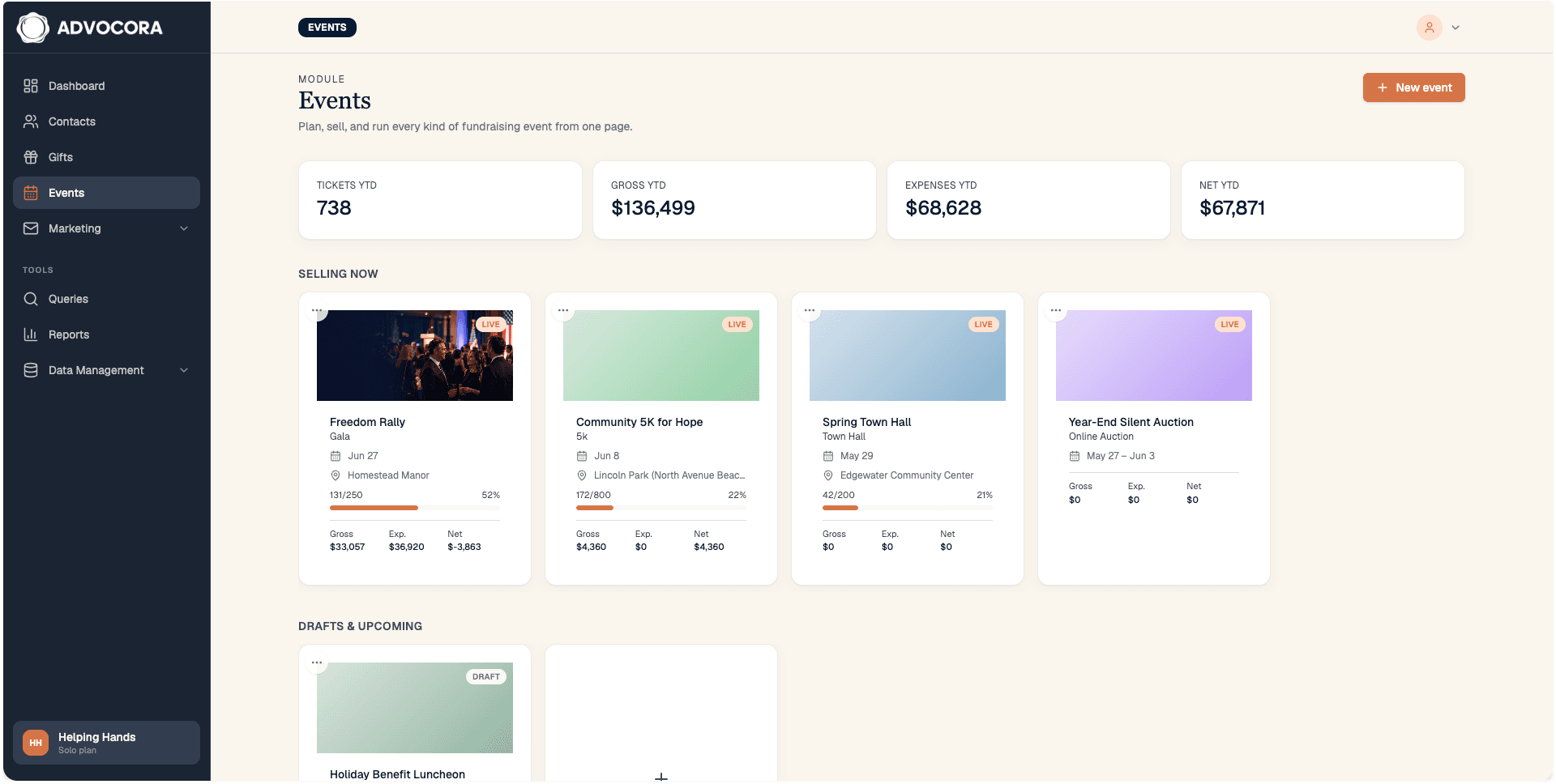
Five tools replaced by one module— and the donor record stays whole.
An event surface that lives next to the donor.
Most nonprofits stitch events together from five tools, then spend two weeks re-keying names and matching receipts. Advocora Events removes the stitching.
Every dollar lands on the donor.
Ticket sales, sponsorships, auction wins, and merch all post as gifts to the donor profile, tagged with the event source. Existing reports, segments, and acknowledgment workflows pick them up with zero changes.
Your Stripe. Your payouts.
Events runs on the same Stripe Connect connection that powers your donation forms. Funds settle to your nonprofit's payout account on Stripe's normal schedule. Refunds and chargebacks are visible inline.
The door volunteer just needs her phone.
The check-in scanner is a web page. Open the link, allow the camera, point at the QR. Scans queue locally when the venue wifi drops and sync when it comes back. No app store, no install.
Turn on only the pieces you need.
A gala turns on paid ticketing, sponsorships, and a silent auction. A town hall turns on free RSVP. A 5K turns on paid ticketing and merchandise. A multi-day online auction turns on only the auction. The in-app tabs and the public registration page rearrange themselves so the supporter never sees a section that doesn't apply.
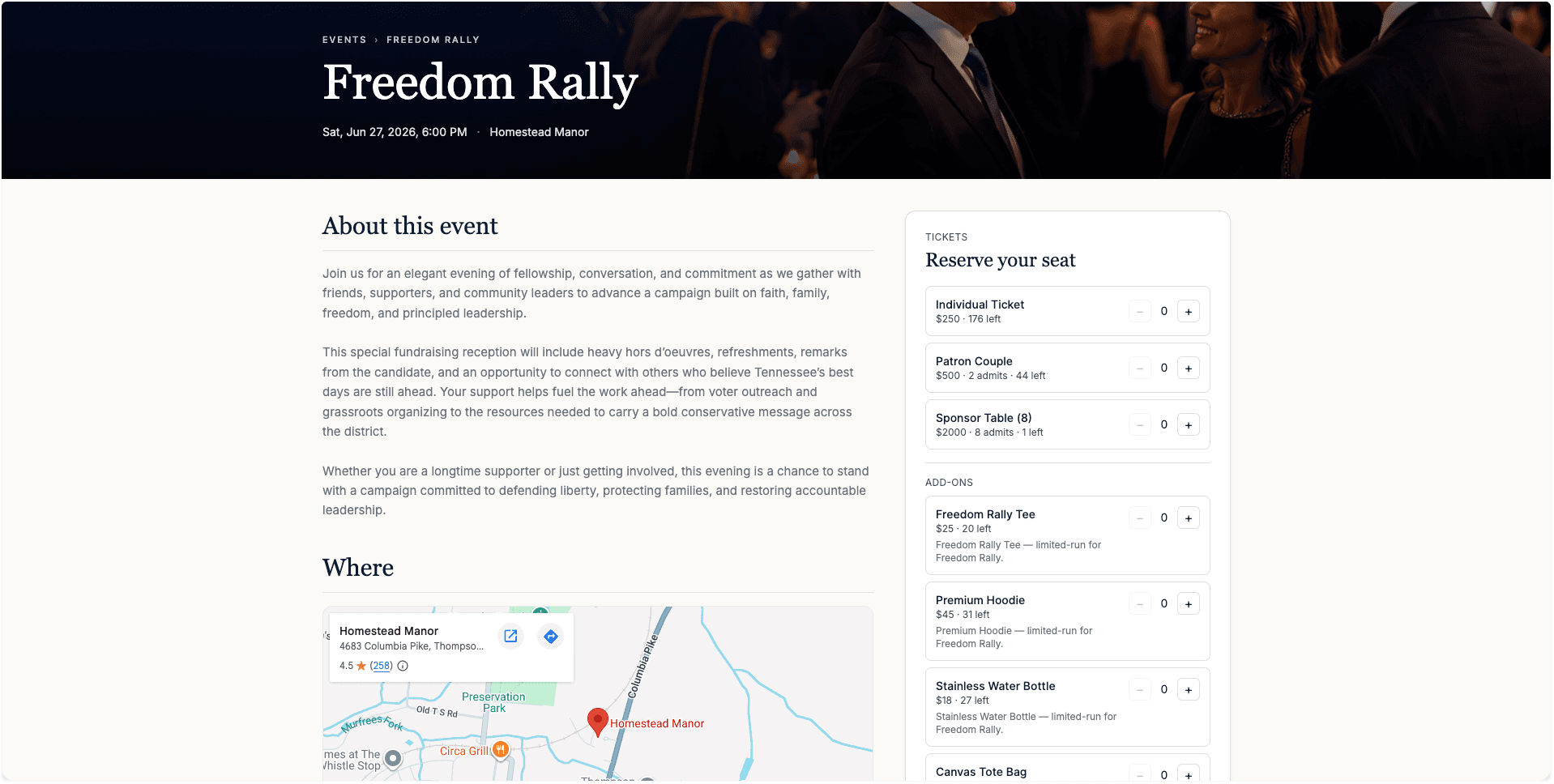
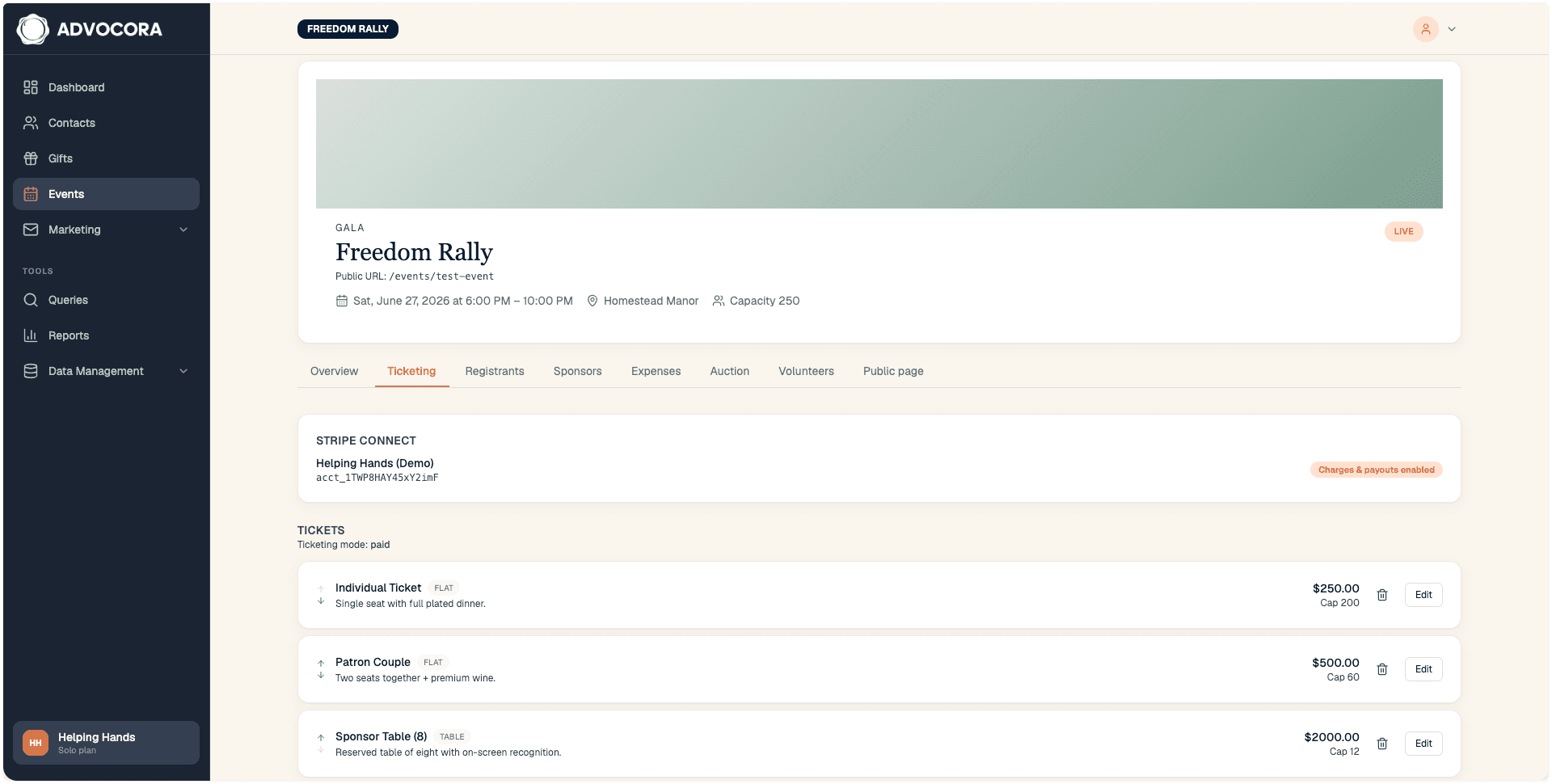
Tiers, tables, and pay-what-you-can.
Per-tier capacity, fee absorption choice, visibility, and type — flat seat, table of eight, pay-what-you-can, donation-included. Configurable registrant fields per tier. A live preview of the confirmation email and the QR ticket sits on the same screen.
- Tables sold as one ticket with N admissions, or N individual tickets — your call
- Pay-what-you-can tiers with optional minimum
- Refund through Stripe right from the registrants table
- Manual entries for offline ticket sales
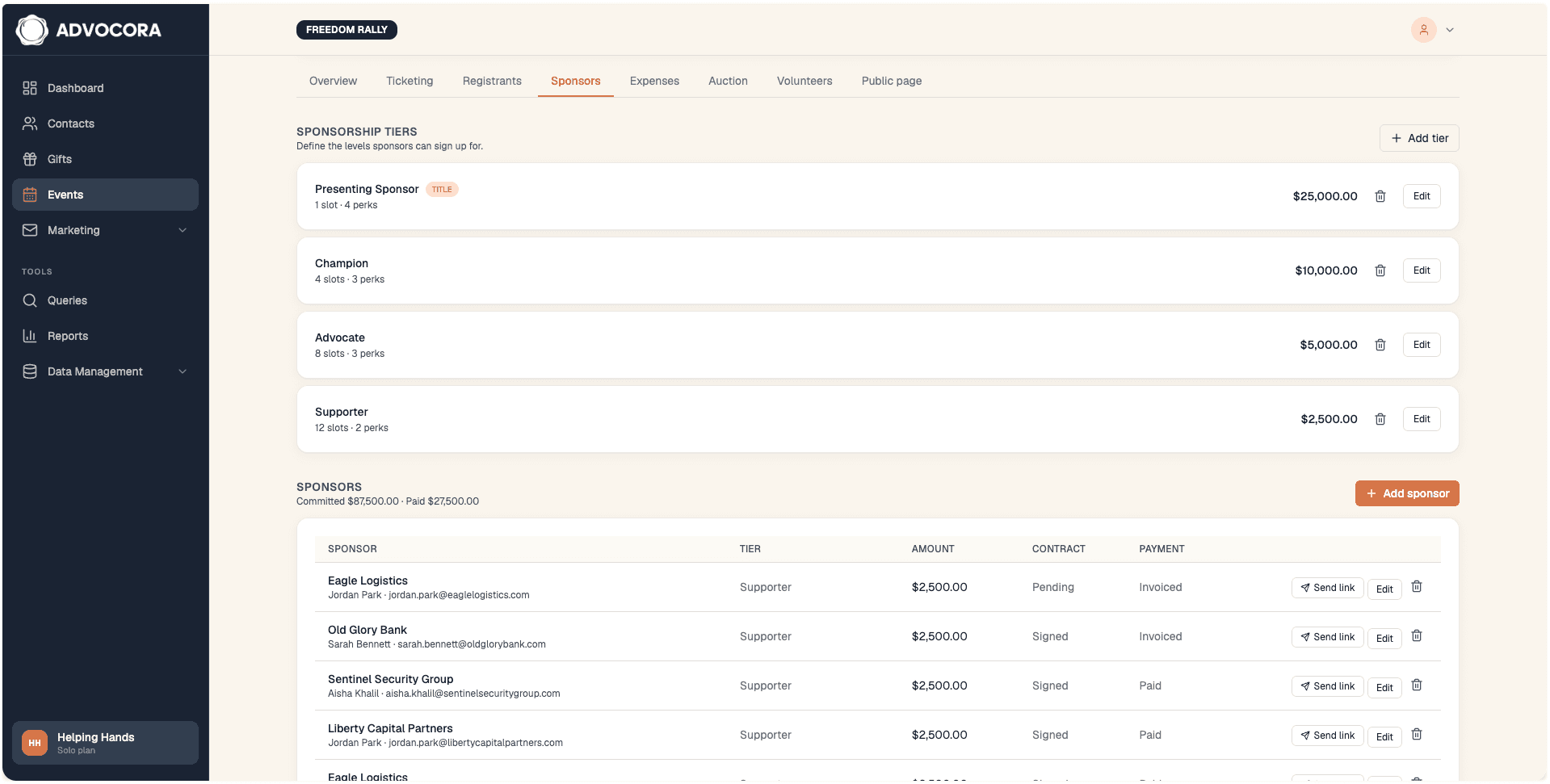
Sell the room without the spreadsheet.
A tier grid with prices, slots, perks, and coverage meters. A sponsor table tracks every commitment across the full taxonomy — verbal, pending, signed, invoiced, paid. Sponsors get a magic link to upload their logo and sign the agreement. No Advocora login required.
- Title, Premier, Champion, Friend — or whatever tiers your org uses
- Self-serve sponsor portal with logo upload and signed agreement
- Logo wall preview matching the lobby loop and program page
- Outreach helper that drafts a pitch referencing open slots and prior history
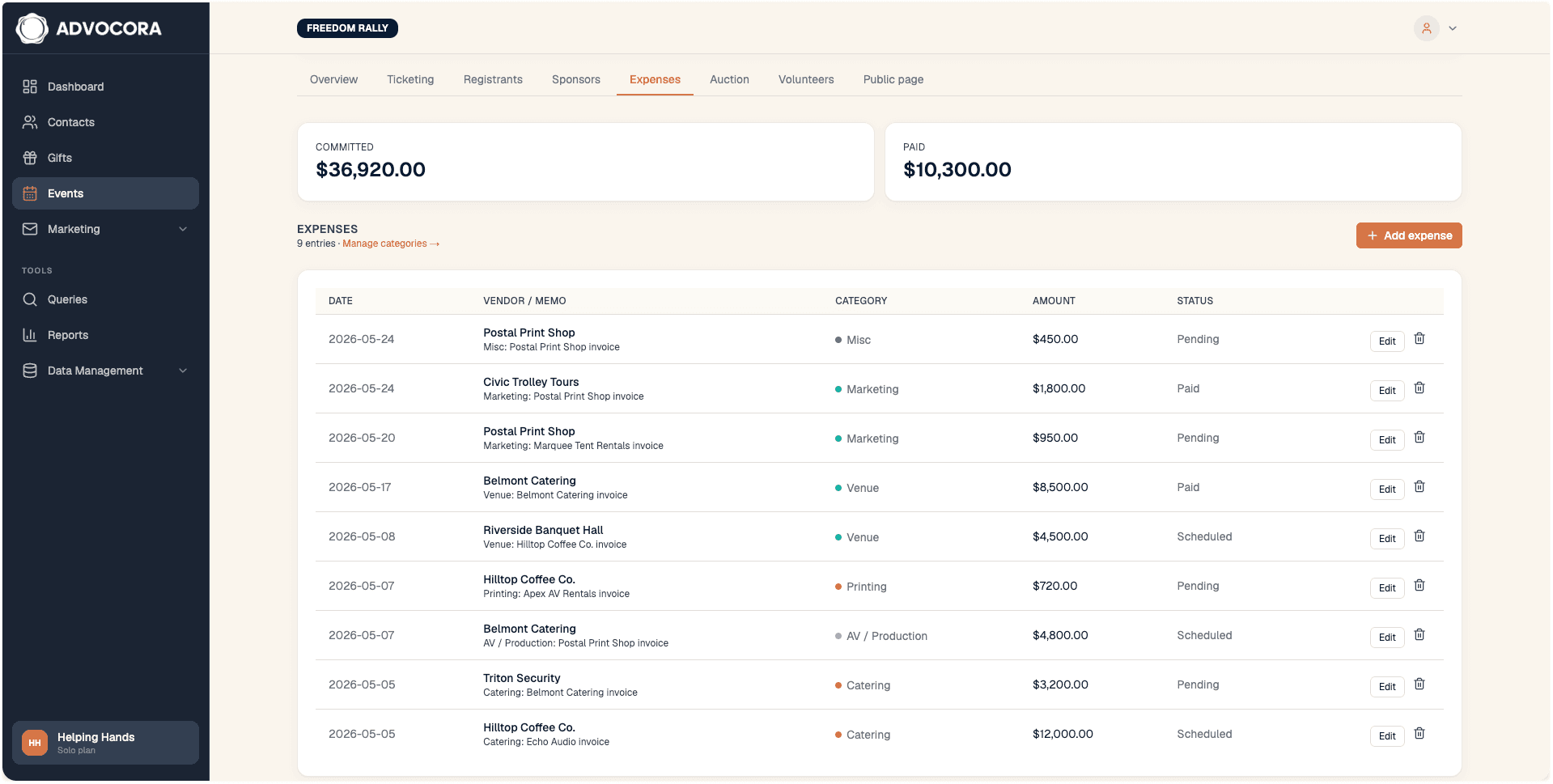
The report writes itself while the night is still running.
Snap a photo of a receipt; OCR reads the vendor, amount, and date; you confirm the category. A live P&L panel adds ticket revenue, sponsorships, and projected auction proceeds, then subtracts expenses to date — labeled honestly so realized and projected never get confused.
- Budget vs. actual by category, in real time
- Receipt capture via photo, PDF upload, or forward-to-email
- Stacked-bar view of where the dollars are going
- Projected net updated as commitments and expenses land
Auctions that charge themselves.
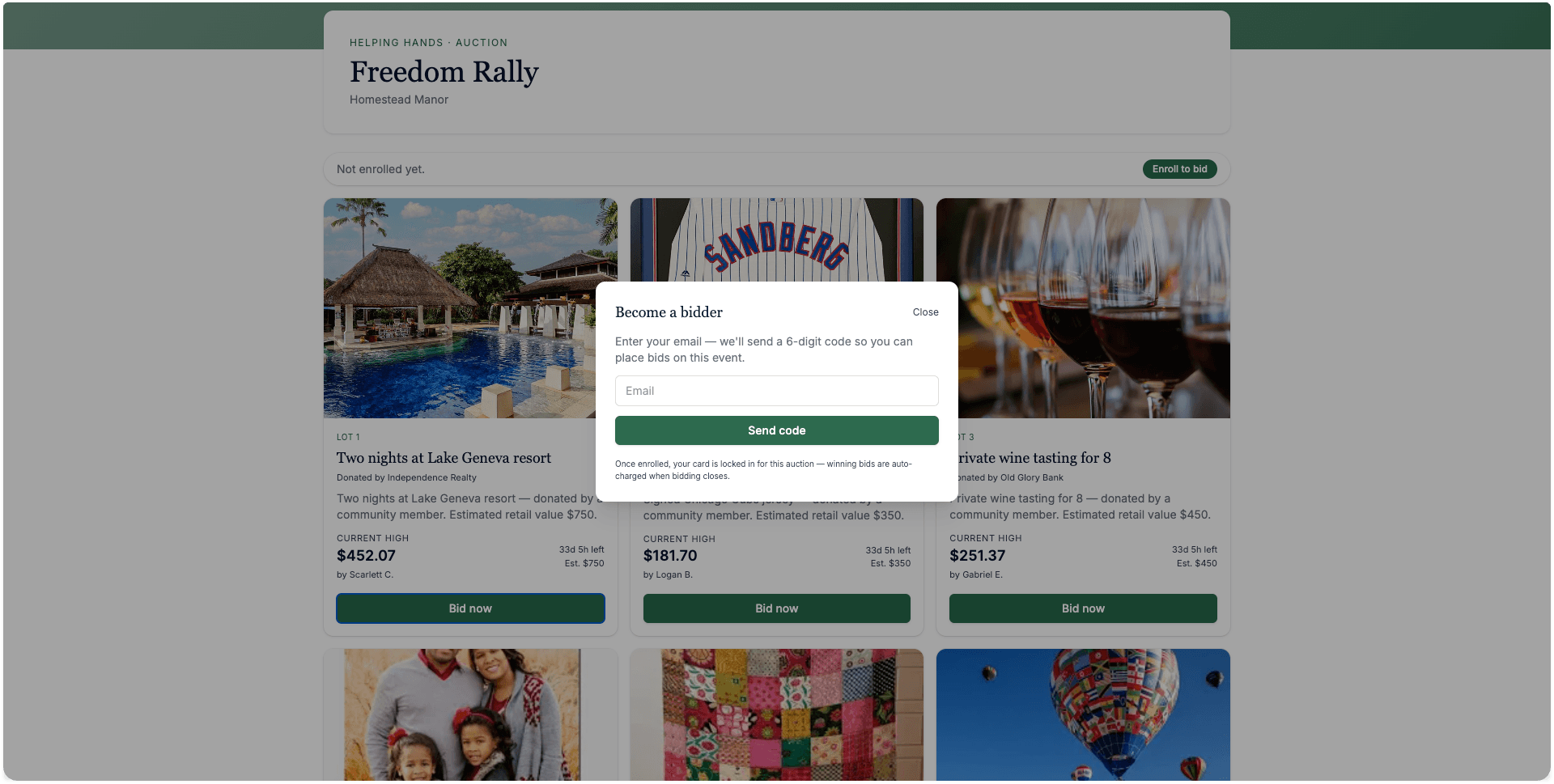
Lots can run silent during a live event or asynchronously over multiple days. Bidders authenticate with a one-time code sent to their email on their first bid — no account required. The moment a lot closes, the winner's stored payment method is charged automatically. If the card fails, the lot rolls to the next-highest bidder with a clear audit trail.
- Silent (overlap with a live event) or async (multi-day online)
- Email-code bidder authentication — no app, no account
- Immediate charge on win, with retry and roll-down on failure
- Winning bids post as gifts on the donor profile
A roster that runs itself, and a scanner on every phone.
Define roles, send a single invite link, and watch the coverage meters fill. On event night, the door is a web page — not an app install.
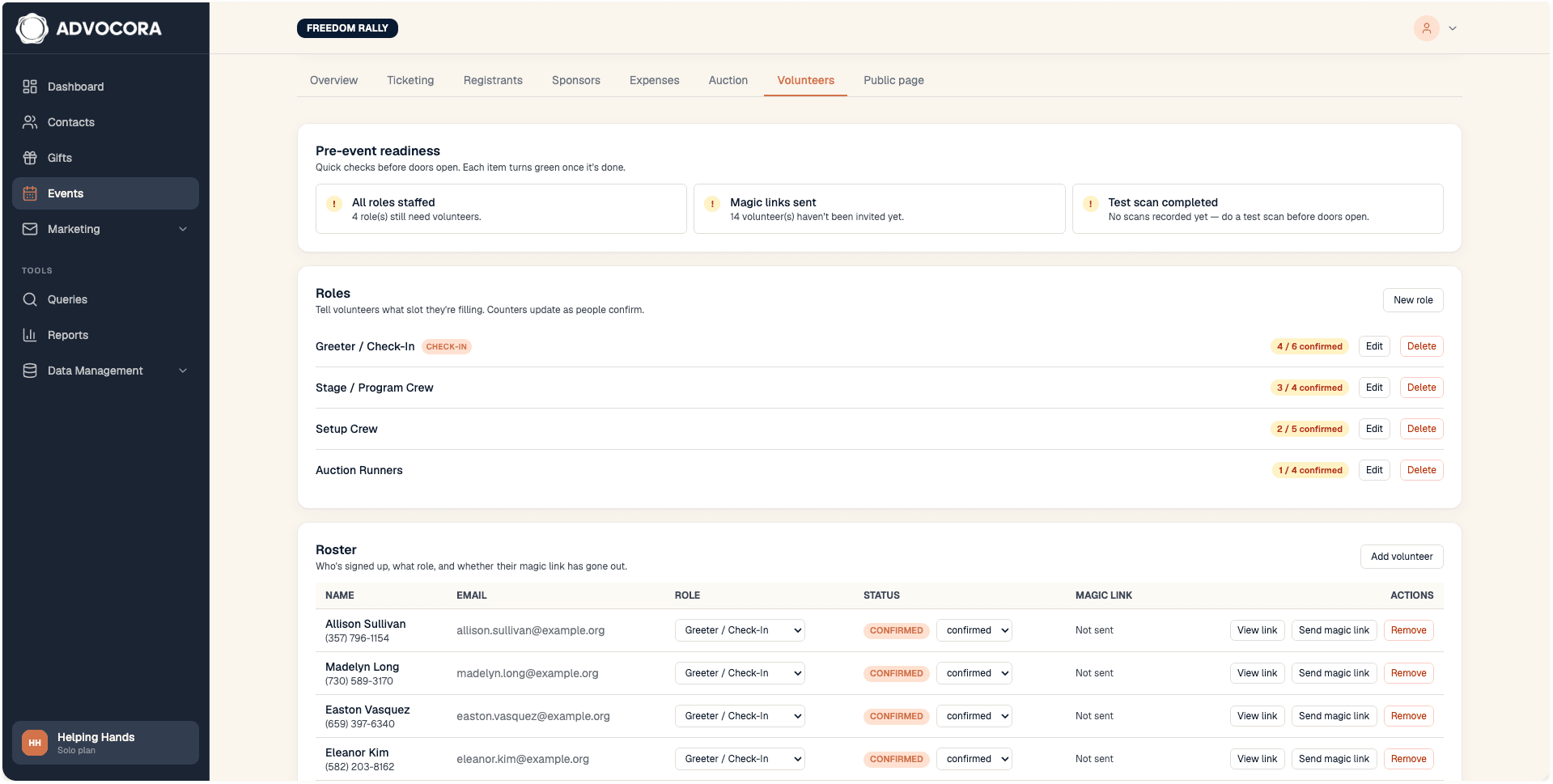
Roles, readiness, and one invite link.
Define door check-in, will-call, auction runners, table hosts, load-in. Each role tile shows confirmed-of-needed with a tinted progress bar. A pre-event readiness panel surfaces the week-of essentials so nothing slips: install link sent, test scans run, briefings done.
- Role coverage with per-role progress
- One-click "text install link to all door staff"
- Pre-event checklist with live status
- Per-volunteer roster with reassign, message, remove
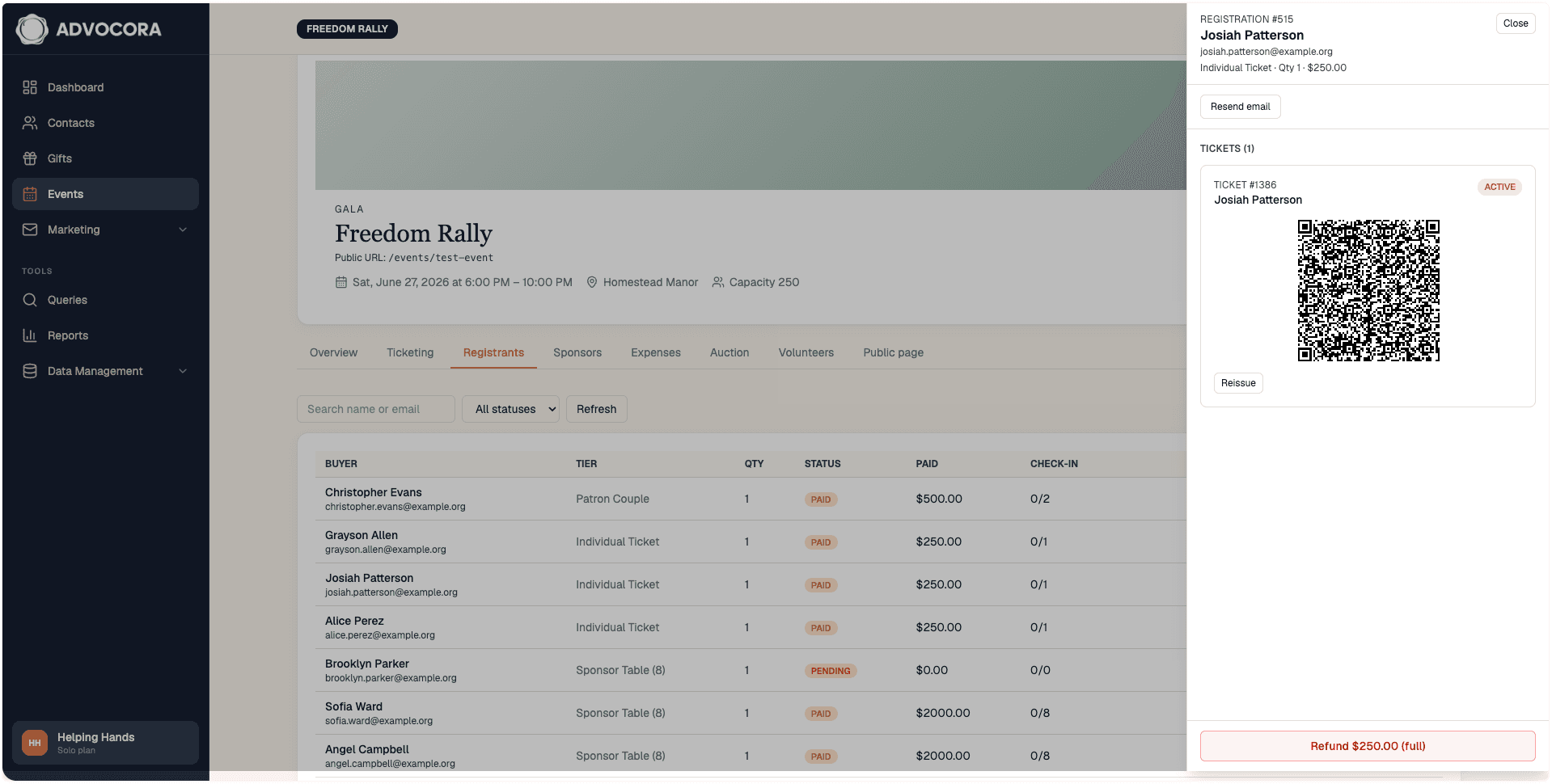
Open the link. Point the camera. Done.
The volunteer opens her magic-link on her phone. A full-bleed camera viewfinder shows the next three to five scans below. Duplicate scans flag in red with the original check-in time and never inflate the count.
- Sub-second check-in on a warm connection
- Offline-tolerant queue that syncs when the network returns
- "Switch volunteer" for shared-iPad-at-the-door setups
- Web page only — no app store, no per-device licensing
Every charge becomes a gift. Every guest becomes a contact.
Ticket purchases, sponsorships, auction wins, and merch all write to your existing contacts and gifts tables, with the event tagged as the source. No exports. No CSV round-trips. No "we'll match those later."
One module instead of five.
| Capability | Advocora Events | Ticketing tool | Event-management tool |
|---|---|---|---|
| Lives inside the donor CRM | Yes | Separate platform | Separate platform |
| Every charge auto-attaches to the donor profile | Yes | No | No |
| Modular sub-modules — turn on only what you need | Yes | Partial | Partial |
| Connected Stripe — your account, your payouts | Yes | Often platform-of-record | Mixed |
| Live in-event P&L with receipt OCR | Yes | No | Partial |
| Sponsorship pipeline with magic-link self-serve | Yes | No | Partial |
| Silent and async online auctions with auto-charge | Yes | No | Add-on |
| Phone-first volunteer scanner — no app install | Yes | App required | App required |
| Offline-tolerant check-in queue | Yes | Varies | Varies |
| Iframe-embeddable registration page | Yes | Yes | Yes |
What the module replaces, in their words.
"The night we ran our spring gala on Advocora, I didn't open a single spreadsheet. The expenses tab showed me we were eight hundred dollars under budget on catering at 7:14pm, and I knew because my phone told me — not because someone tapped my shoulder."
"By Monday morning every guest was already a contact, every ticket sale was already a gift, and the thank-you note draft was already queued. We used to spend the following Tuesday and Wednesday on data entry."
"I opened the link on my phone, pointed at the QR, and it just worked. When the wifi went out at intermission, the scanner kept going."
"I uploaded our logo from my phone in the cab on the way over. I didn't have to remember a password or download an app."
Common questions about Events.
Do I need a separate ticketing platform?
No. Tickets, sponsorships, expenses, auctions, and volunteers all live inside Advocora.
Whose Stripe account does the money land in?
Yours. Events runs on the same connected Stripe account that powers your donation forms.
Does every registrant become a contact in my CRM?
Yes. Every successful checkout writes to your existing contacts and gifts tables, with the event attached to each gift.
What does it cost per ticket?
There is no Advocora per-ticket fee. Standard Stripe processing applies — 2.9% + 30¢ per transaction, or 2.2% + 30¢ for eligible 501(c)(3) organizations. You choose at the tier level whether to absorb the fee or pass it to the guest.
Do my volunteers need to install an app?
No. The door scanner is a mobile web page. They open the link you send them, allow the camera, and start scanning.
What if the wifi at the venue is unreliable?
Scans queue locally on each device and sync when the connection comes back. Duplicate detection works on-device, so the line keeps moving.
Can I sell a table of ten with one purchase?
Yes. Multi-seat tiers — a table of 8, a table of 10 — can be issued as one ticket with N admissions, or as N individual tickets. You choose at tier creation.
Can guests pay what they want?
Yes. Pay-what-you-can tiers support an optional minimum.
Can I refund a ticket from the registrants table?
Yes. Refunds run through Stripe and write a corresponding reversal on the gift.
Can sponsors update their own logo and sign their own agreement?
Yes. Each sponsor gets a magic-link self-serve portal. No Advocora login is required.
How do bidders authenticate without creating an account?
On their first bid, they verify their email address with a 6-digit one-time code. The bidder identity is stored against the lot, not as a full user account.
Does the auction charge winners automatically?
Yes. The moment a lot closes, the winner's saved payment method is charged. If the card fails Stripe's retry schedule, the lot rolls to the next-highest bidder with an audit row showing what happened.
Can I embed the public registration page on my existing website?
Yes. Each event has an iframe embed with per-event allow-listed origins — the same pattern Advocora donation forms use today.
Does this work for a free town hall — no tickets, no charge?
Yes. Turn off paid ticketing; turn on Free RSVP. The public page renders an RSVP block instead of a ticket selector.
Can I clone last year's event to start this year's?
Yes. The Duplicate action carries over tiers, sponsorship structure, expense categories, and public page configuration. Dates and Stripe Connect status reset for the new event.
See it on a call with your next event in mind.
Book a 30-minute demo. We'll set up your event on a sandbox, show you what the public page looks like, and walk through the donor records the night will produce.